Follow us:


How to install the Africa Guide onto your GPS
Note: these steps are only required if you received a download link for the Africa Guide from Tracks4Africa.
Step 1: Connect GPS to your PC or Mac
Use a USB cable to connect your GPS to your PC or Mac. The GPS memory will be available as an external drive on your computer.
Step 2: Copy the .gpi Alert file to your GPS
Make sure that you have 'unzipped' the Africa Guide file from the download link you received from Tracks4Africa. You only want to work with the '.gpi' file contained within the zip file.
The Africa Guide file ends with a file extension of '.gpi'. eg.t4a_africa_guide_15_05.gpi
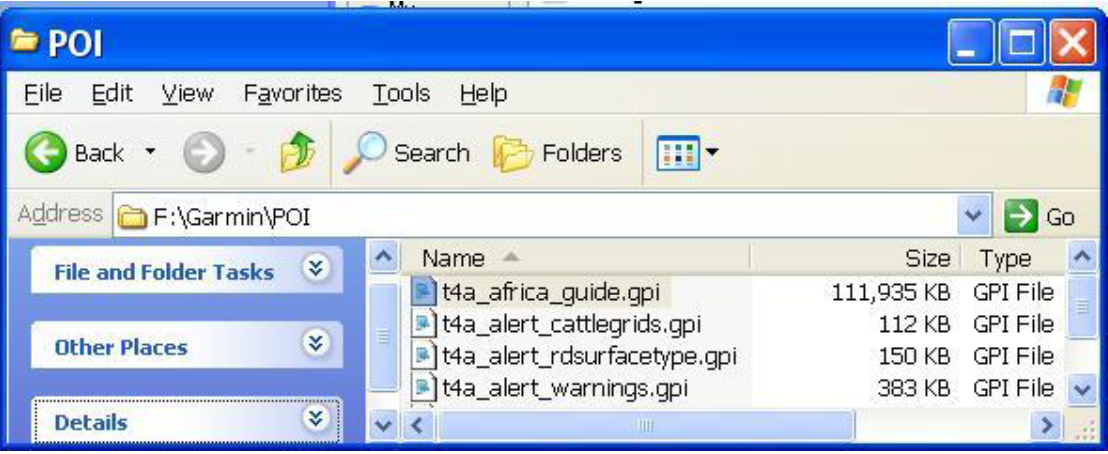
The file must be copied to the following folder on your GPS internal memory:
/garmin/poi/
If the folder ‘poi’ does not exist create it under the ‘garmin’ folder.
Copy the '.gpi' file to the /garmin/poi/ folder on your gps.
Follow us on